Getting Started
Get DataTruth running in under 5 minutes — no manual configuration required.
Table of Contents
Prerequisites
Before you begin, make sure you have the following installed:
- Docker (v20+)
- Docker Compose (v2+)
- Git
That’s it. Everything else — databases, caches, the AI backend — is bundled inside Docker.
Quick Deploy
Clone the repository and run the deployment script:
git clone https://github.com/superml-org/Superml.DataTruth.git
cd Superml.DataTruth

./deploy-saas.sh
Once the containers start (usually under a minute), open your browser at:
http://localhost:3000
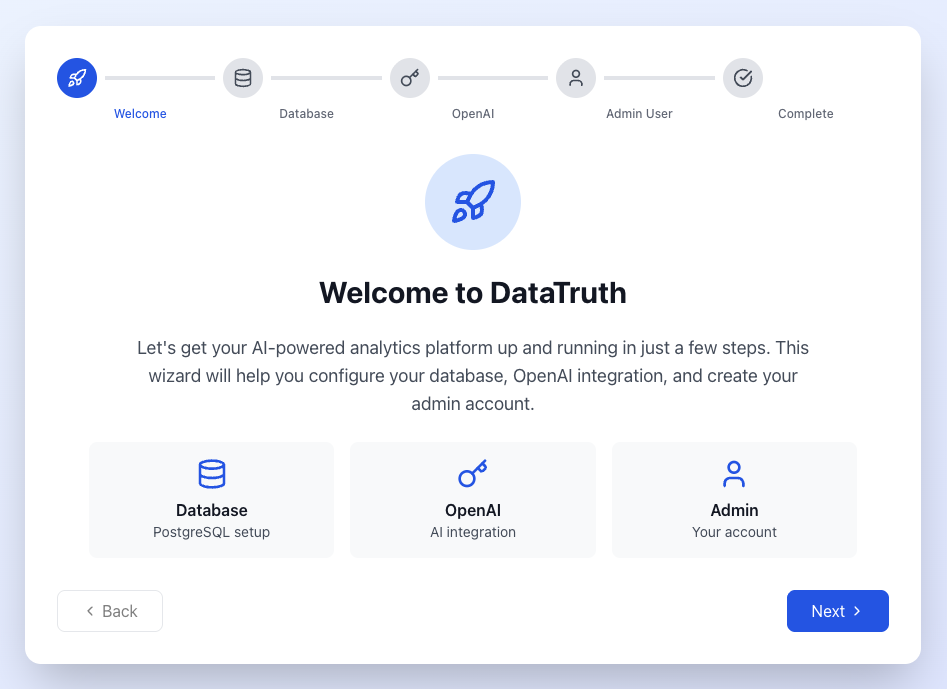
You’ll be greeted by the Setup Wizard — a guided web interface that walks you through every configuration step.
Setup Wizard
The Setup Wizard is a step-by-step web UI that replaces all manual config files.
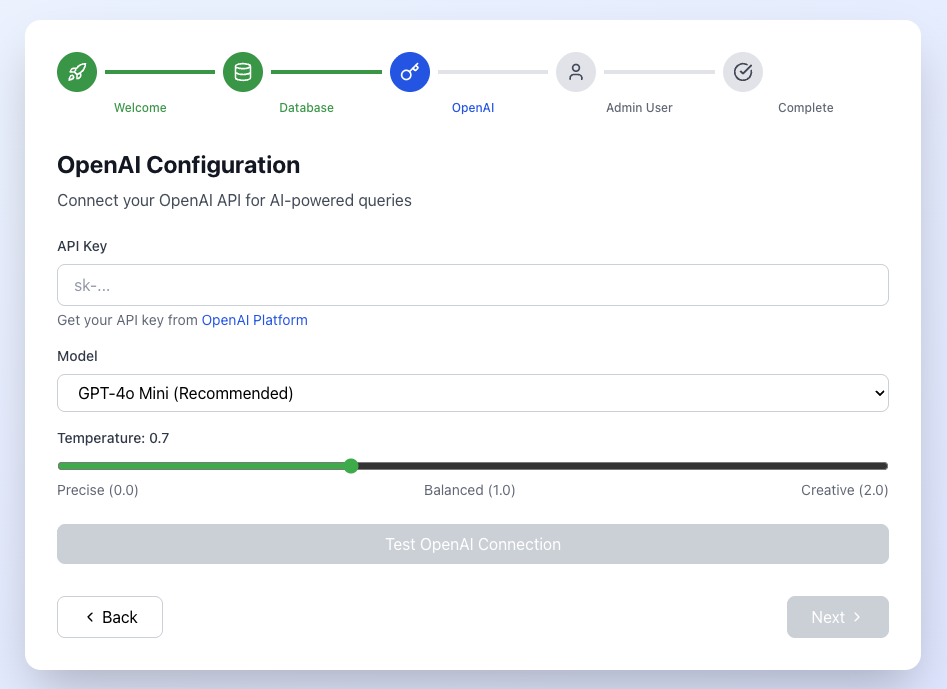
Step 1 — Choose Your AI Model
Select which LLM powers DataTruth’s natural language understanding. You can connect to OpenAI (GPT-4) or configure a local model.
Step 2 — Connect Your Database
Choose the database you want to query. DataTruth supports PostgreSQL, MySQL, Snowflake, and BigQuery. You can use an internal demo database or connect your own.
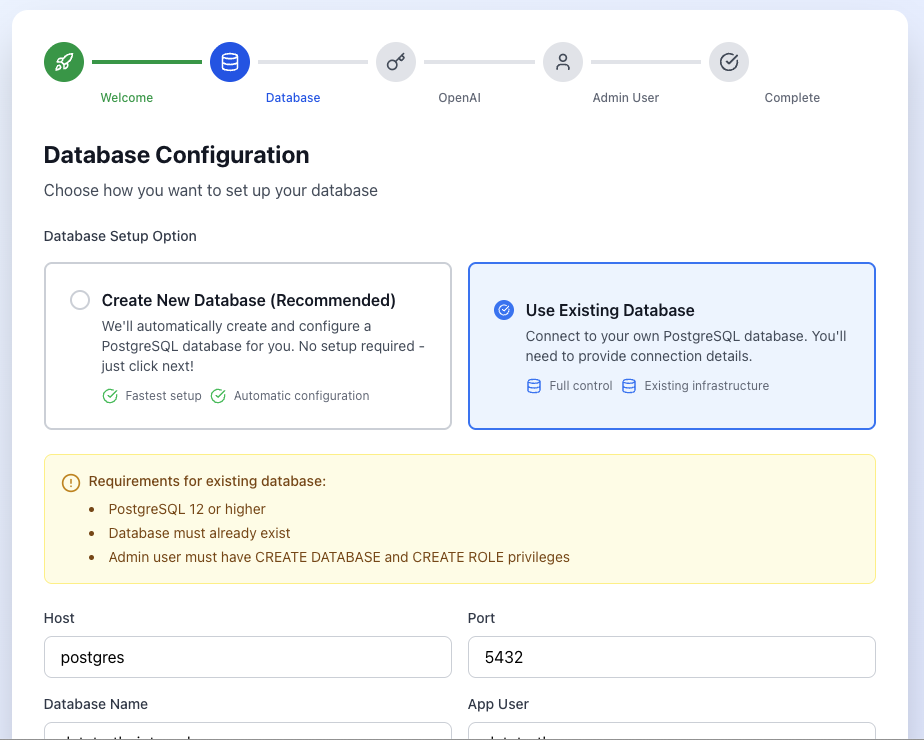
DataTruth connects with read-only credentials — your data is never modified.
Step 3 — Create Your Admin Account
Set up the first administrator account. Subsequent users can be added through the admin panel after setup.
First Login
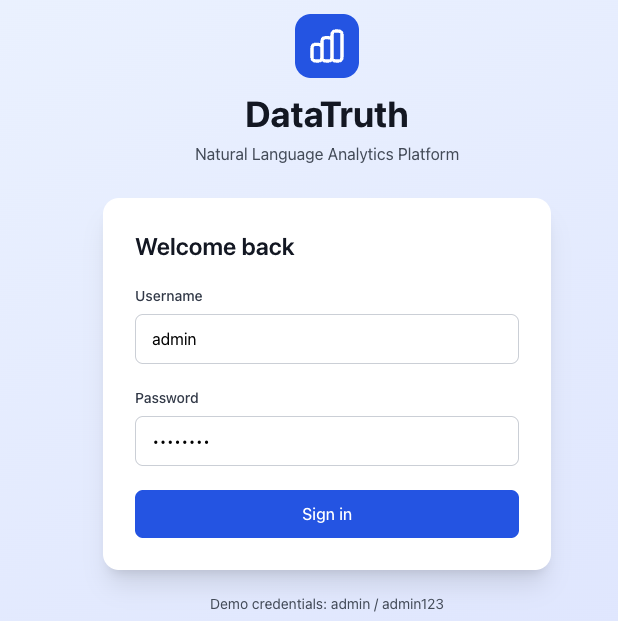
After completing the wizard, you’ll arrive at the main interface. Here’s what to do first:
- Explore the Schema — Navigate to Schema Explorer to see your connected database tables, with AI-generated descriptions of each field.
- Try a Query — Head to Search & Ask and type a question in plain English. Examples are provided to help you get started.
- Invite Your Team — Go to Admin → User Management to create accounts for colleagues and assign appropriate roles.
Deployment Options
Local / Self-Hosted
The default deploy-saas.sh script runs everything on your machine or on-premises server using Docker Compose.
./deploy-saas.sh
Cloud Deployment
Deploy to your preferred cloud provider with a single flag:
./deploy-saas.sh --cloud aws
./deploy-saas.sh --cloud azure
./deploy-saas.sh --cloud gcp
Custom Docker Compose
For advanced configurations, use the included Docker Compose files directly:
# SaaS / production mode
docker-compose -f docker-compose.saas.yml up -d

# Development mode (with hot reload)
docker-compose up -d
User Roles
DataTruth ships with four built-in roles:
| Role | What They Can Do |
|---|---|
| Admin | Full access — manage users, connections, system settings |
| Analyst | Query data, create metrics, build semantic layer definitions |
| Executive | View high-level dashboards and KPI summaries |
| Developer | Technical metrics, schema exploration, API access |
You can assign roles when creating users in the Admin panel.
Next Steps
- Features → — Explore what DataTruth can do
- Screenshots → — See the platform in action
- Security → — Understand the security model before connecting production databases
Need help? Open an issue on GitHub or reach out at support@datatruth.ai.